By Supaorder Team — who we are
A Migration Checklist for GloriaFood
The practical order of operations for moving your restaurant off GloriaFood — what to gather, what to rebuild, and which step people leave too late.
GloriaFood reaches end of life on 30 April 2027, and has not announced an export-and-move tool (here is what you can export yourself). So this is a rebuild rather than a data transfer — which sounds worse than it is, provided you do it in the right order and not in the last month.
Here is the sequence, with the reasoning for each step. Most of it applies whichever platform you move to.
Before you start: gather five things
None of this takes long, and having it in one place turns the rest of the project into admin rather than archaeology.
- Your current menu, as it actually is. Not the PDF from two years ago — the live ordering menu, with modifiers, sizes, add-ons and prices. A link to your ordering page is usually enough for someone else to work from.
- Your photos, at the largest size you have them. Menu photography is the slowest thing to redo and the easiest thing to keep.
- Your delivery zones and fees, written down. Which postcodes or radius, what each one charges, what the minimum order is. This lives in people’s heads more often than you would think.
- Your payment account details — whichever processor you will settle to. On a direct channel the money goes to your own account, so this is your gateway relationship, not a new one you are being sold.
- A list of every place a GloriaFood link exists. This is step two, and it is important enough to have its own section.
Step 1: inventory every link before you touch anything
This is the step people leave until last, and it is the one that decides whether the switchover is calm.
Walk through, and write each one down with who controls it:
- The order button on your own website (and any second site, or a landing page from a campaign)
- Your Google Business Profile ordering link
- Instagram and Facebook bios, and any “order” button on the page
- QR codes: table tents, takeaway bags, receipts, window stickers, flyers, the back of business cards
- Printed menus with a URL on them
- Any email footer, autoresponder or SMS template
- Third-party listing sites that link to your ordering page
- The link you have personally texted to regulars for the last two years
The list is always longer than expected, and every entry has a different owner and a different lead time. A QR code on a table tent is a reprint. A Google Business Profile link is thirty seconds. Knowing which is which now means the switchover is scheduling rather than firefighting.
Step 2: rebuild the menu — and treat it as a clean-up
Your live menu has accumulated things: items nobody orders, modifiers that duplicate each other, a size option that stopped making sense when you changed suppliers. A rebuild is the one moment it is cheaper to fix that than to carry it.
Two practical notes. Get your prices in first and your photos second — a menu with correct prices and no pictures can take orders; the reverse cannot. And build the modifier structure before you bulk-enter items, because modifier groups are the part that is painful to reorganise afterwards.
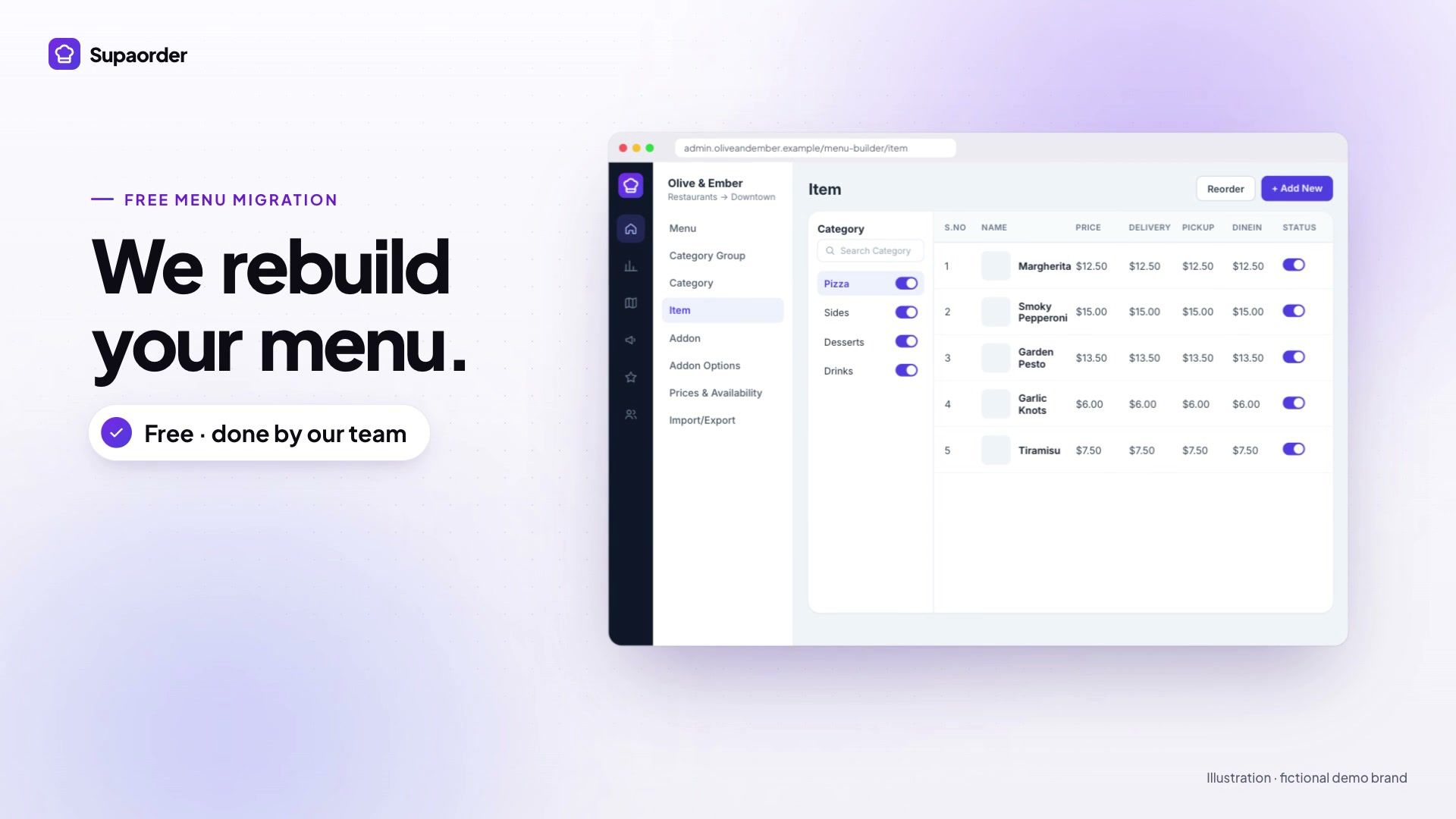
With Supaorder this step is done for you and is included: send a link to your menu and the team rebuilds items, modifiers, photos and delivery zones. That is the intent of the migration page — the rebuild is the largest task in the project, so it should not be the restaurant’s task.
Step 3: start the app-store accounts early if you want apps
GloriaFood never had branded apps in the stores, so this is new ground for most people moving off it — and it has the longest lead time of anything on this list.
Your apps are published under your own Apple and Google developer accounts, in your name, because that is what white-label means: the listing, the ratings and the app belong to you rather than to a vendor. Registration and verification take time and happen at Apple’s and Google’s pace, not anyone else’s. If native apps are part of your plan, open the accounts in week one and let them run in the background while everything else proceeds. The build, the store assets and the submission are our job; the accounts have to be yours.
Step 4: payments, then delivery, then everything else
Configure in dependency order:
- Payments first. Nothing can be tested end to end until money can move. Connect your processor, run a real transaction, refund it, and check it appears where you expect.
- Delivery zones and fees next. Draw the areas, price each one, and check the edges — the address at the far corner of a zone is where fee logic goes wrong, and it is worth testing two or three real addresses rather than assuming.
- Then the operational pieces: order-ready notifications, preparation times, opening hours and holiday closures, kitchen printing or a kitchen display, and your POS connection if you run Clover, Square or Toast.
- Loyalty and offers last. They are the reason to have your own channel, but nothing about them is urgent on day one and they are easier to design once you can see real orders.
Step 5: run both systems in parallel
Go live on the new channel while GloriaFood is still working. This is the whole trick, and it costs nothing.
Take a handful of real orders through the new store — ideally your own staff ordering lunch — and watch each one arrive at the kitchen, print or display correctly, and settle to the right account. Fix what you find while the old system is still there as a fallback. There should be no day on which ordering is switched off.
Step 6: move the links, widest reach first
Now spend the inventory from step 1, in this order:
- Your own website’s order button. Highest traffic, entirely under your control, instant.
- Google Business Profile, social bios, and any listing site you control. Same day, no reprint.
- QR codes and print. Reprint the table tents and bag stickers. If your codes point at a URL on your own domain, this is a one-off cost you never pay again — which is a good argument for putting the ordering page on your own domain now rather than later.
- Email and SMS templates, receipts, and anything automated.
Step 7: tell your regulars — this is the actual migration
Everything above is configuration. This step is the migration, because a platform move only fails in one way: the customers do not come with you.
Your best customers have a bookmark, a habit and no idea any of this is happening. When the old link stops working they will not see an explanation, they will see a broken page. So say it plainly and more than once: on receipts, on the bag, in the shop, in whatever email or SMS list you have. Give people a reason to move now rather than eventually — a first-order offer on the new channel is cheaper than reacquiring them later.
The last check before the deadline
Two months out, go back through the step-1 inventory and try every entry yourself. Scan the QR codes with your own phone. Click the link in your own Instagram bio. Search for your restaurant and click whatever comes up. The ones that fail are always the ones nobody owned.
Then, on 30 April 2027, nothing happens — which is the goal.
If you want the rebuild handled and a parallel-running plan mapped to your setup, tell us about your GloriaFood store and we will come back with both.